 kiduverse
Quick rules
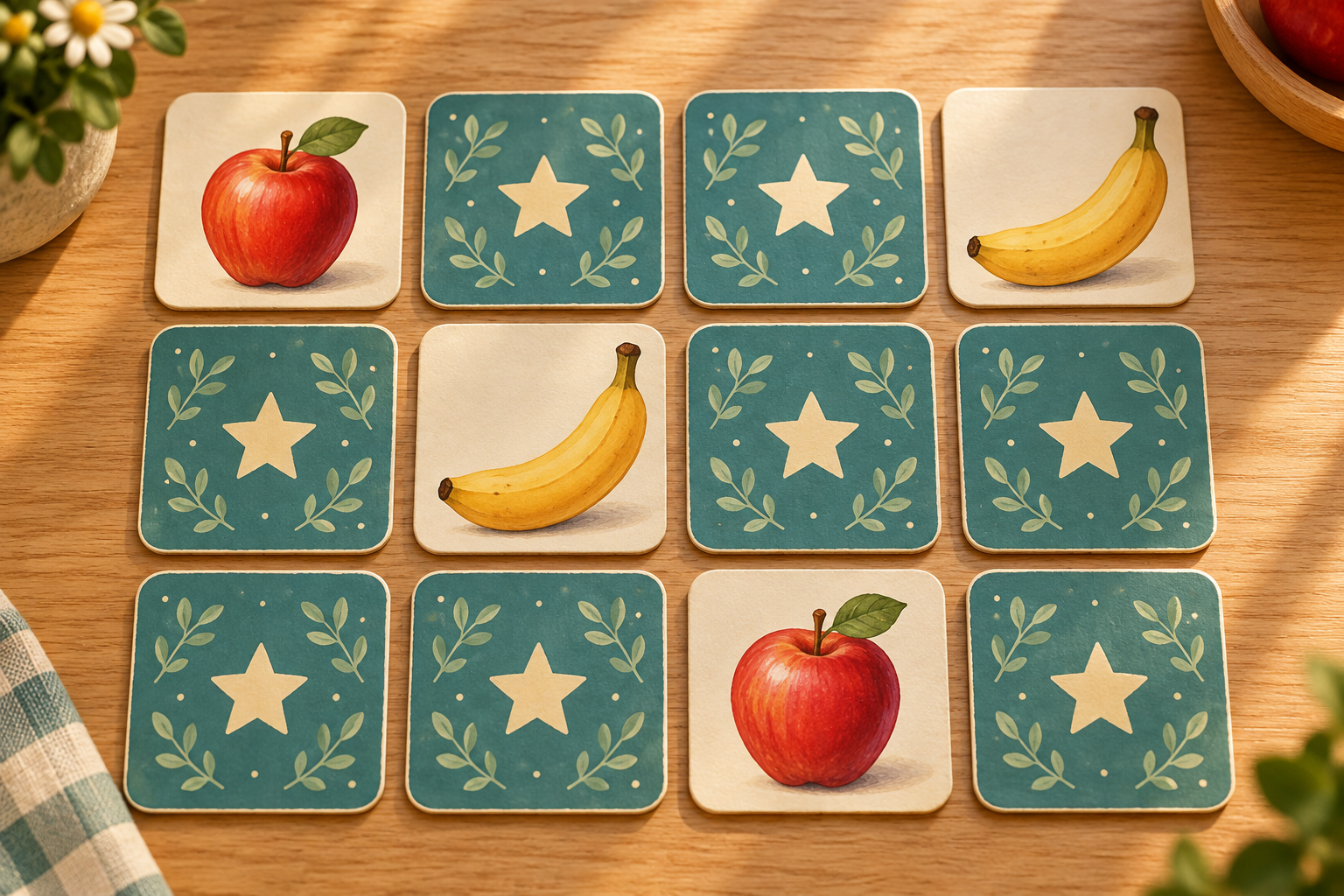
Fruit Memory is a matching-pairs game. All cards begin face down, and each fruit appears on exactly two cards. Turn over two different cards. If their pictures match, the pair stays visible. If they differ, take a moment to remember the two places before they turn face down again. Find every pair to finish.
This browser version is a solo activity: there is no hidden computer player collecting your cards. You can talk through a choice with a friend, but the board measures one shared sequence of moves. A move means opening a second card, whether that attempt finds a match or not. Opening the first card alone does not add a move.
- Choose 3, 6, 8, 12 or 16 pairs and a picture theme.
- Open a card and notice its fruit and position.
- Open a different covered card.
- Remember mismatches, collect matches and continue until all pairs are visible.
There is no countdown. Take the time you need to look at a revealed picture before making the next choice.
Cards, fruits and board sizes
Five levels contain 3, 6, 8, 12 or 16 pairs: 6 to 32 cards. The board adapts its columns and card size to the screen width and height. Every card back is identical.
Choose fruits, sea animals, space, flowers, classic symbols, numbers, the English alphabet or 3D toys. Each pair contains identical pictures. Your unfinished game, games played and wins are saved in this browser when local storage is available.
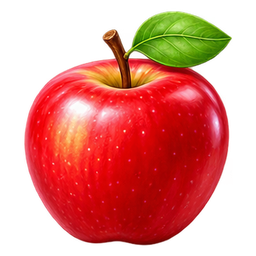
The fruit diagram below illustrates a matching pair of apples.
 ✦✦
 ✦✦✦✦✦✦
What you may turn over
Choose a covered card, then another covered card. You cannot choose the same card twice to create a pair with itself. You also cannot open a third card while two mismatching cards are still visible. Wait until they close; their short viewing pause belongs to the same attempt.
Matched cards stay face up and no longer take part in a new choice. That helps you see what is finished without remembering whether a removed card used to be on the board. Empty-looking gaps are therefore not extra choices. After every successful match, return your attention to the cards that still have identical patterned backs.
Repeated taps during the mismatch pause are ignored. Pressing Restart cancels the old closing action and creates a fresh board, so an old timer cannot turn over a card in your new game. Changing the number of pairs also reshuffles. When that happens, your old remembered positions are no longer reliable.
✦✦✦✦✦✦✦✦✦✦Finishing and reading the score
The game finishes when all cards belong to found pairs. The result states the pair count and your number of moves. Six pairs cannot be completed in fewer than six moves, because every move can find at most one pair. That lower bound is not a target you must meet on an unfamiliar shuffled board; first-time misses are a normal part of gathering information.
Compare move counts only on boards with the same number of pairs. Twelve pairs naturally require more choices than six. Different shuffles also create different opportunities, so one lower score does not prove that you suddenly have a better memory. Look instead at whether you used information you had already seen.
There is no penalty timer, lost life or public ranking. You can restart before finishing or enjoy the completed board. Reloading restores your unfinished board and matched pairs. The browser stores games played, wins and the best move count for each theme and level. Browser storage is local to this device; clearing it removes this progress.
Three useful situations
You have seen the matching fruit. You open an apple and remember another apple in the upper-left area. Choose that known place as the second card. A remembered match is better than opening a new unknown picture when you are already confident about the pair.
You reveal two different fruits. You open grapes and a banana. Before they close, give each a location description: “grapes, first row near the middle; banana, bottom right.” You have not found a pair, but you have learned two positions. Treat the miss as useful information rather than immediately tapping several more cards.
Two unknown cards match by chance. Keep the successful pair visible and continue. A lucky match is welcome, but it does not teach you where another fruit is. Avoid changing to random clicking because one random attempt happened to work.
A helpful self-check after a mismatch is to point to both places when the pictures disappear. If you cannot locate them, use a smaller board next time or slow down the second choice. The idea is a manageable remembering task, not an exam.
✦✦✦✦✦✦✦✦✦✦A simple remembering strategy
Explore in a steady order until you recognise a match. For example, investigate new cards from the top row toward the bottom, while using any known partner as soon as it appears. A regular exploration pattern makes it easier to distinguish a newly discovered place from one you have already visited.
Remember a fruit together with an anchor: an edge, a corner, the row or a neighbouring matched pair. “Pear near the left edge” is a clearer clue than “pear somewhere down there.” On a bigger board add the row as well. You do not need to know letter coordinates to use this approach.
When the first card opens, pause and ask whether its partner is known. If yes, choose that place. If not, explore one new covered card and remember both identities. Once you have enough information, the aim changes from discovering new cards to deliberately completing known pairs.
Start with six pairs and increase the board when the positions feel manageable. A larger board adds locations; it does not introduce a new matching rule. These are practice suggestions, not a claim of measured improvements in school performance or cognitive health.
Playing with paper cards
For a home version, draw two copies of each fruit on identical pieces of card. Use the same size and an opaque back so a picture cannot be recognised through the paper. Shuffle, lay them face down and take turns opening two. If you agree that a match earns another turn, explain that before starting.
The browser page is solo, so its move counter does not represent competitive scores for several players. A paper competition needs its own rule for whose turn follows a miss and how many pairs each player keeps. You can also play cooperatively, discussing remembered places without assigning a winner.
For an introductory paper activity, begin with three pairs or briefly show the cards before turning them over. These are home variations; the online selector offers 3, 6, 8, 12 and 16 pairs and begins with the cards covered. Do not assume an automatic preview, spoken fruit names or a two-player score panel is included.
An independent challenge
Play one six-pair board with a rule of your own: before selecting a second card, say whether you are using a remembered partner or exploring a new place. The explanation matters more than the final move count. After a mismatch, describe where both fruits are before the cards close.
On your next fresh shuffle, choose a different location anchor. If you used corners first, use rows or neighbouring matched pairs. This transfers the strategy to a new arrangement rather than repeating a board whose answers you already know. The pictures may be the same, but the locations have changed.
After finishing, identify one attempt where remembering a previously seen card gave you a deliberate pair. Then name a missed opportunity, if you noticed one. Try eight pairs only when you can explain several choices on the smaller board. There is no required score and no need to hurry to beat another player.
Browser controls and accessibility
Tap or click a card to reveal it. Keyboard users can Tab to the cards, move with arrow keys and activate with Enter or Space. Covered cards have a position label without the hidden fruit name. A fruit name becomes available when that card is genuinely visible; matched cards are identified as completed pairs.
The status describes the next choice, a match, a mismatch or the completed result. The move and pair counters stay below the board. During a mismatch the two pictures remain briefly visible, and the board accepts no third choice. Restart is available during that pause and resets both counters.
The game needs JavaScript; these rules and diagrams do not. There is no account or download requirement and no sound needed to understand play. Our fruit sudoku uses pictures in a different way: each row, column and box must contain each symbol once, rather than matching two identical cards.
Open the game →Frequently asked questions
How many cards are on the board?
Five levels contain 3, 6, 8, 12 or 16 pairs: 6, 12, 16, 24 or 32 cards. Every picture appears exactly twice.
What counts as one move?
Revealing a second different covered card completes one move, whether the pictures match or not.
Can I open a third card?
Not while two mismatching cards are still visible. Wait until they turn face down, then make a new choice.
Do matched cards disappear?
No. They stay face up and are marked as completed, but cannot be chosen again.
Is this a game against the computer?
No. It is a solo matching activity with a move counter. Friends can discuss choices on the same device.
Is there a time limit?
No countdown limits the game. Two mismatching cards close after a short viewing pause.
Does restarting keep the same layout?
No. Restart makes a new layout and resets the counters. Changing pair count does the same.
Do I need to read fruit names?
No. You match pictures. Accessible fruit names describe revealed cards, and hidden cards expose only their position.